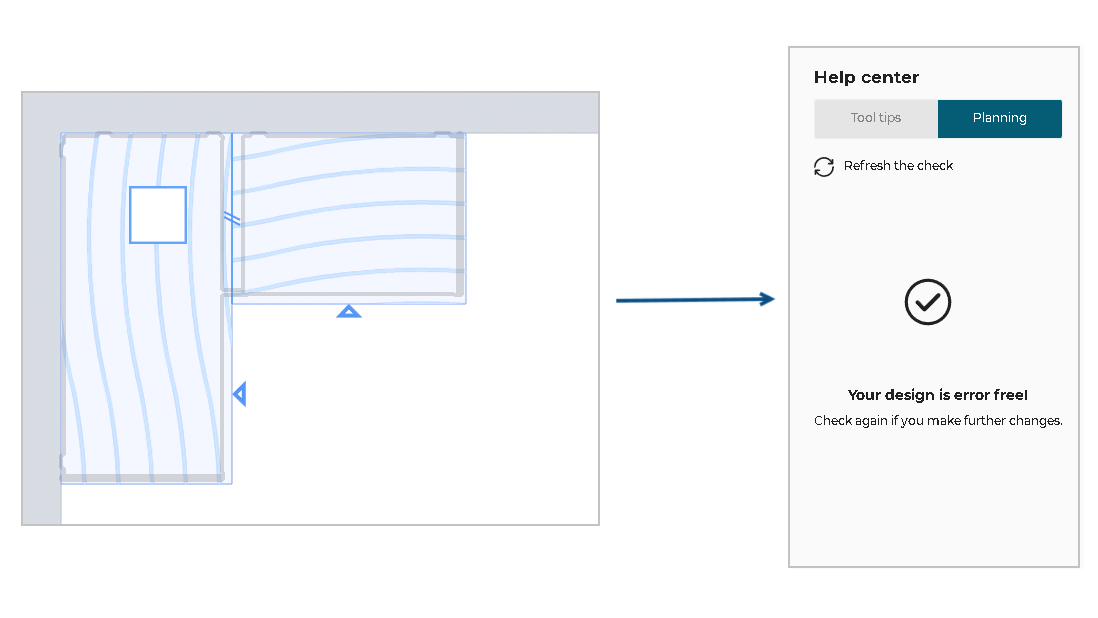
Distance Between Joint and any Operation

JointToAnyOperationRule
Distance between a joint and other worktop operations.
Notification level: ℹ
| Key | Value |
|---|---|
| ID | JointToAnyOperationRule |
| Translation key | End of the worktop min_dis_joint_to_eow_title min_dis_joint_to_eow_error_message |
| Translation key | Joint to joint min_dis_joint_to_joint_title min_dis_joint_to_joint_error_message |
| Translation key | Corner joint to sink/hob min_dis_cornerjoint_to_sinkhob_title min_dis_cornerjoint_to_sinkhob_error_message |
| Translation key | Joint to sink/hob min_dis_joint_to_sinkhob_title min_dis_joint_to_sinkhob_error_message |
| Translation key | Corner joint to cut-out min_dis_cornerjoint_to_cutout_title min_dis_cornerjoint_to_cutout_error_message |
| Translation key | Joint to cut-out min_dis_joint_to_cutout_title min_dis_joint_to_cutout_error_message |
| Translation key | Joint to cut min_dis_joint_to_cut_title min_dis_joint_to_cut_error_message |
| Translation key | Joint to edge cut min_dis_joint_to_edge_cut_title min_dis_joint_to_edge _cut_error_message |
Behavior
This rule checks if the distance between a joint and other operations on worktop suit the chosen minimum distance, in order to prevent the user from creating an invalid kitchen.
Operation checks include:
- Joint and end of worktop
- Joint to joint
- Joint to sink/hob
- Joint to all type of cut-outs
- Joint to all type of cuts
- Corner joint to all type of cut-outs
Trigger Conditions
It is triggered if the distance between a joint and other operation on worktop is less than the chosen minimum distance. The application recommends to modify the position of the joint.
Overload Parameter
| Key name | Type | Default value | Description |
|---|---|---|---|
minDistance | number | 150 | This parameter defines the necessary minimum distance for a joint to other operations. Mandatory. |
minDistanceCornerJoint | number | 100 | This parameter defines the necessary minimum distance for a corner joint to other operations(cut-out/sink/hob). Mandatory. |
distance | number | 150 | (Deprecated, use minDistance) This parameter defines the necessary minimum distance for a joint to other operations. |
cornerJointDistance | number | 100 | (Deprecated, use minDistanceCornerJoint) This parameter defines the necessary minimum distance for a corner joint to other operations(cut-out/sink/hob). |
Sample
{
   "minDistance":150,
   "minDistanceCornerJoint":100
}
Illustration
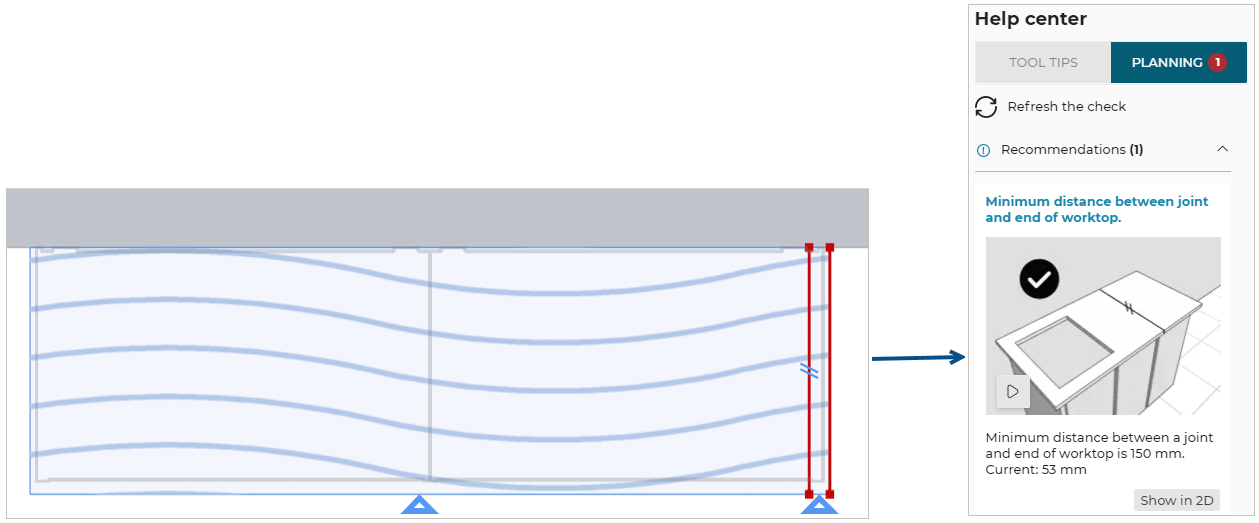
Case 1 – Check with end of the worktop
The distance between the joint and the end of the worktop is less than the chosen distance parameter for the worktop, the rule is triggered and warns the user to change the position of this joint. An animation is displayed to guide the user through the changes.
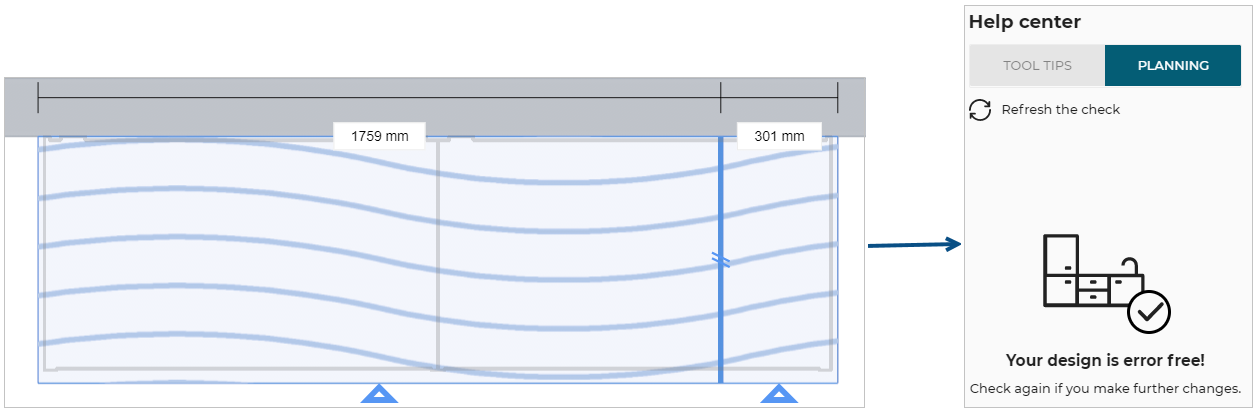
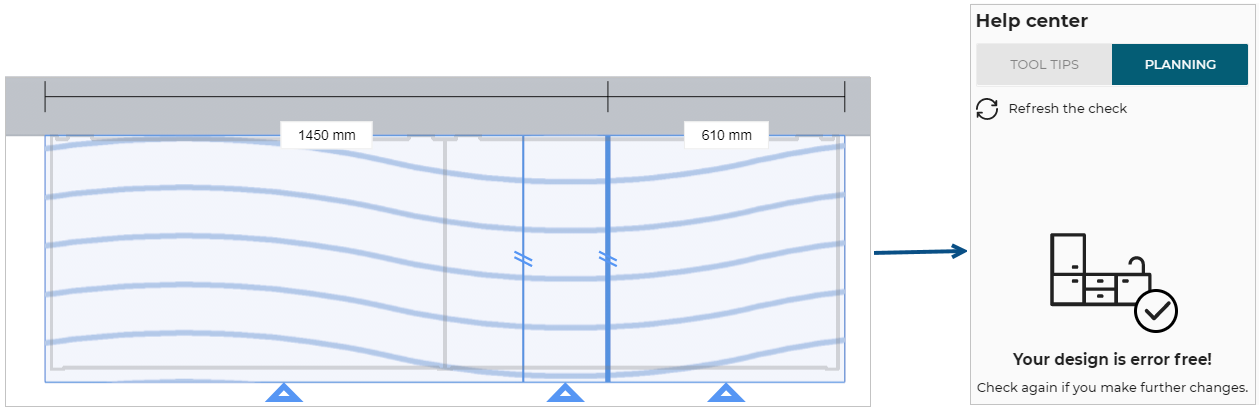
Once the user has changed the position of this joint for a value greater than or equal to 150 mm (the overload value in this example) the design is error free.
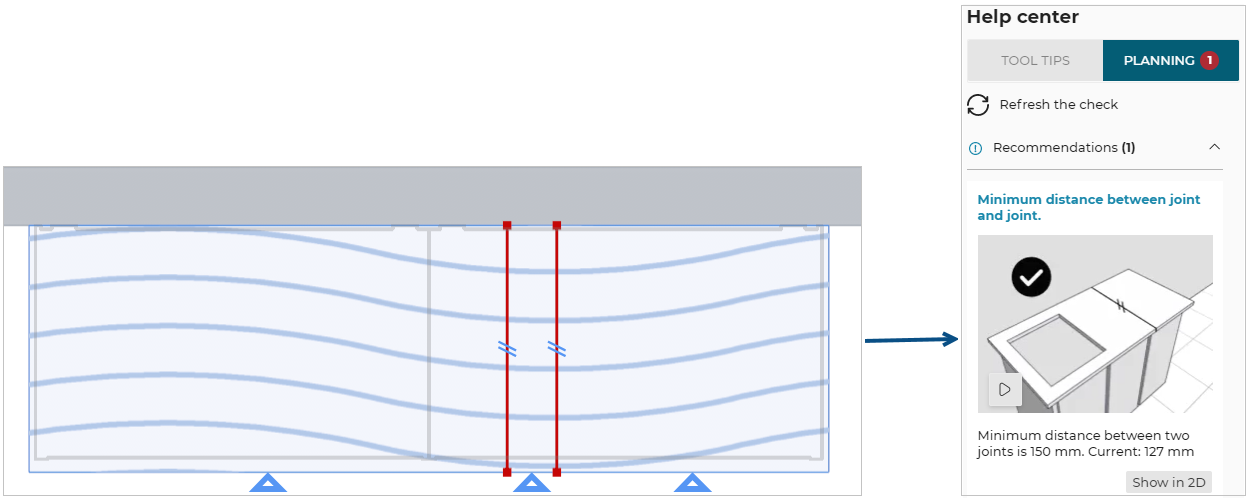
Case 2 – Check with joint to joint
The distance between a joint and another joint is less than the chosen distance parameter for the worktop, the rule is triggered and warns the user to change the position of the joints. An animation is displayed to guide the user through the changes.
Once the user has increased the distance between the joints to at least 150 mm (the overload value in this example) the design is error free.
Case 3 – Check with joint to sink/hob
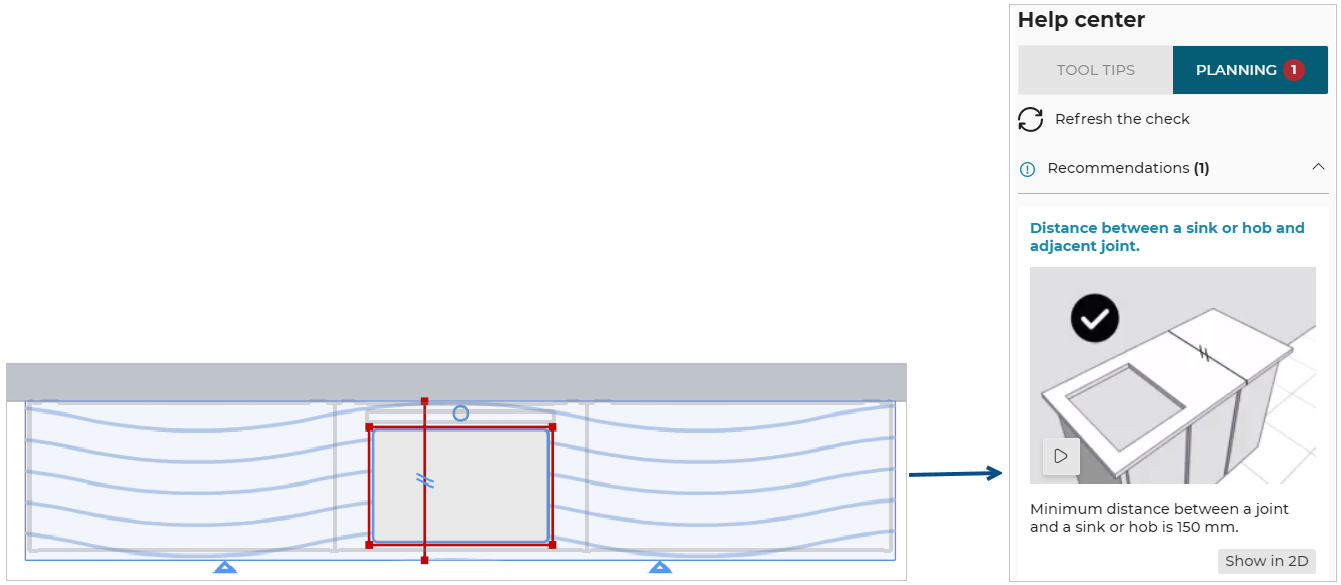
The distance between a joint and a sink or hob is less than the chosen distance parameter for the worktop, the rule is triggered and warns the user to change the position of the joint. An animation is displayed to guide the user through the changes.
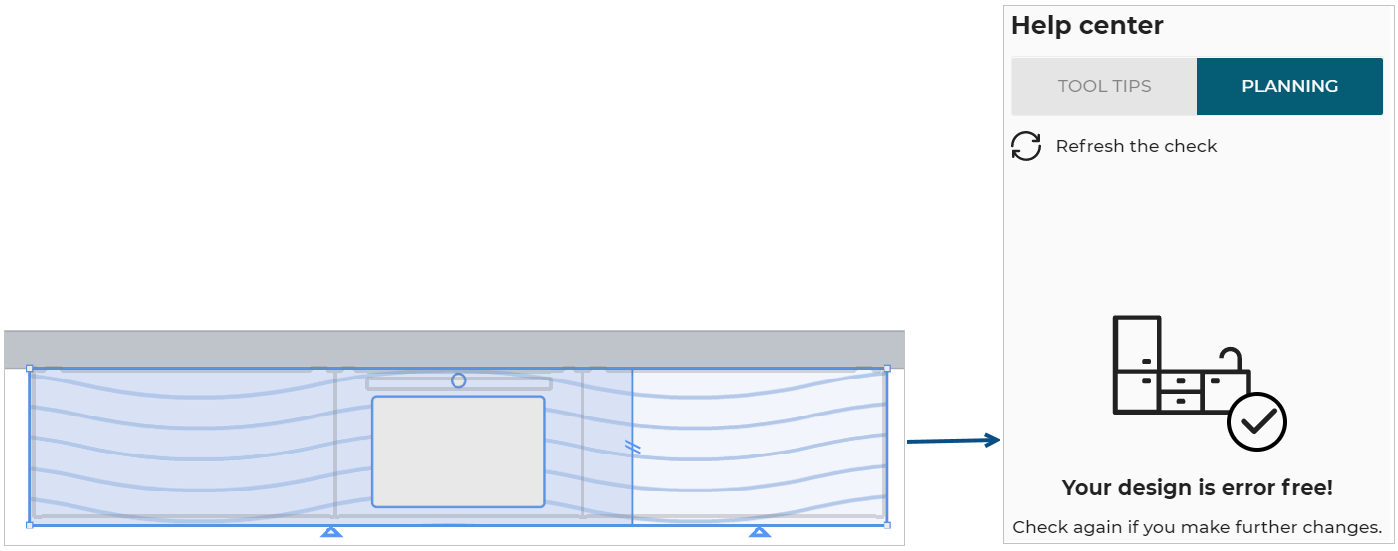
Once the user has moved the joint away from the sink or hob to a distance of at least 150 mm (the overload value in this example) the design is error free.
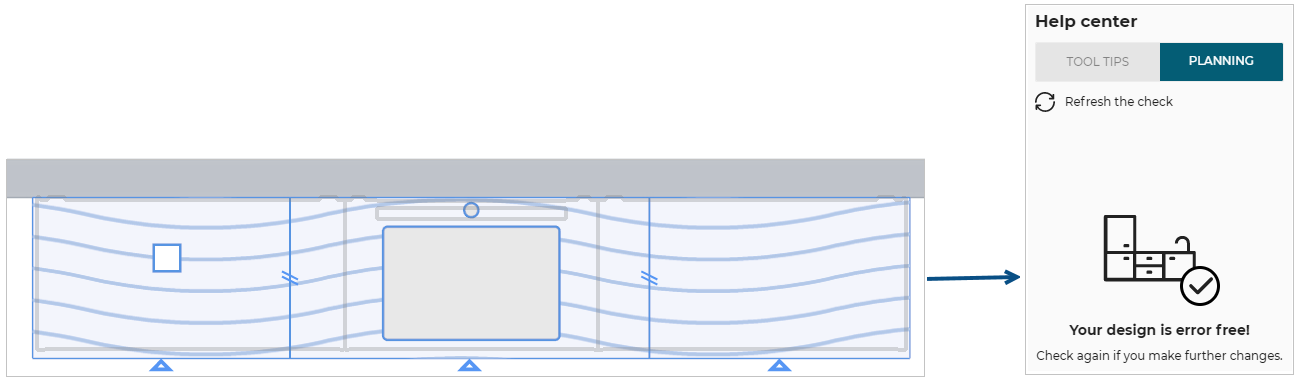
Case 4 – Check with cut-out
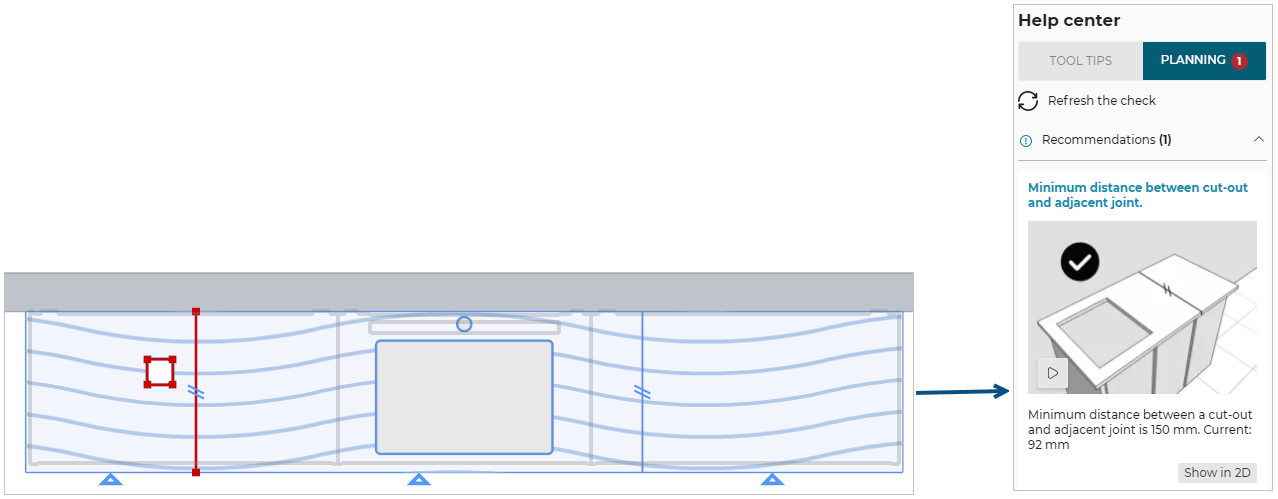
The distance between a joint and a cut-out is less than the chosen distance parameter for the worktop, the rule is triggered and warns the user to change the position of the joint. An animation is displayed to guide the user through the changes.
Once the user has moved the joint away from the cut-out to a distance of at least 150 mm (the overload value in this example) the design is error free.
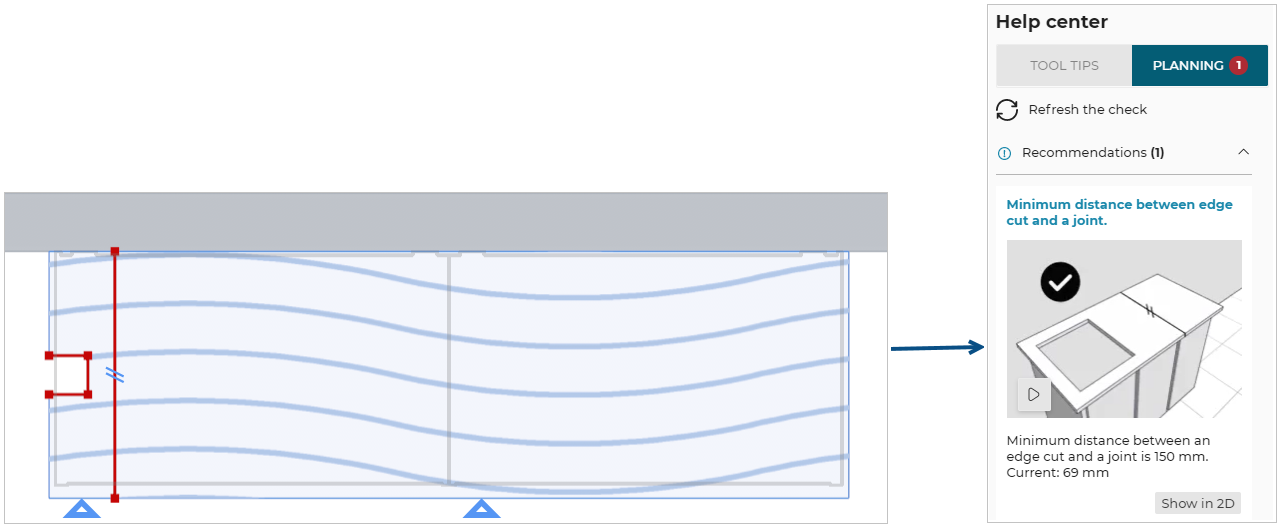
Case 5 – Check with cut
The distance between a joint and the edge cut is less than the chosen distance parameter for the worktop, the rule is triggered and warns the user to change the position of the joint. An animation is displayed to guide the user through the changes.
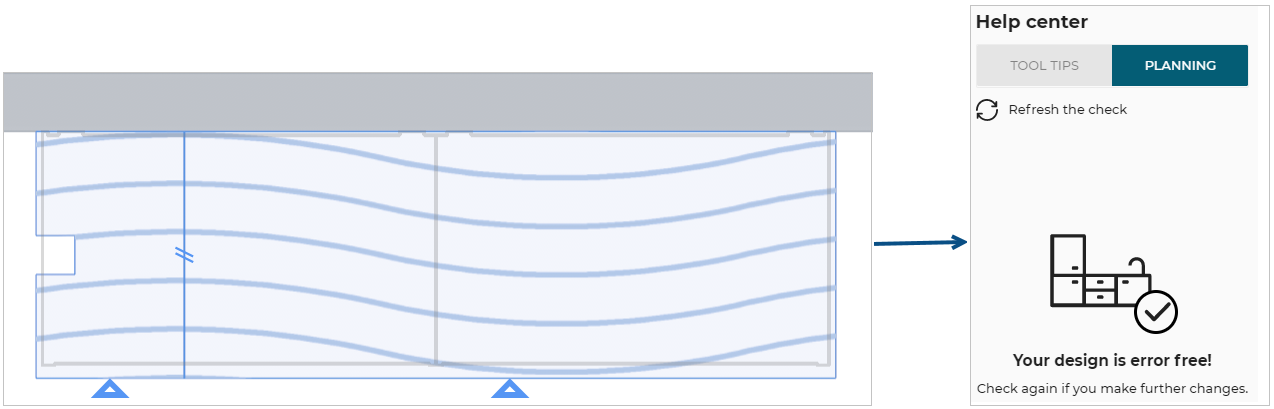
Once the user has moved the joint away from the edge to a distance of at least 150 mm (the overload value in this example) the design is error free.
Case 6 – Check corner joint with cut-out
The distance between a corner joint and a cut-out is less than the chosen distance parameter for the worktop, the rule is triggered and warns the user to change the position of the cut-out. An animation is displayed to guide the user through the changes.
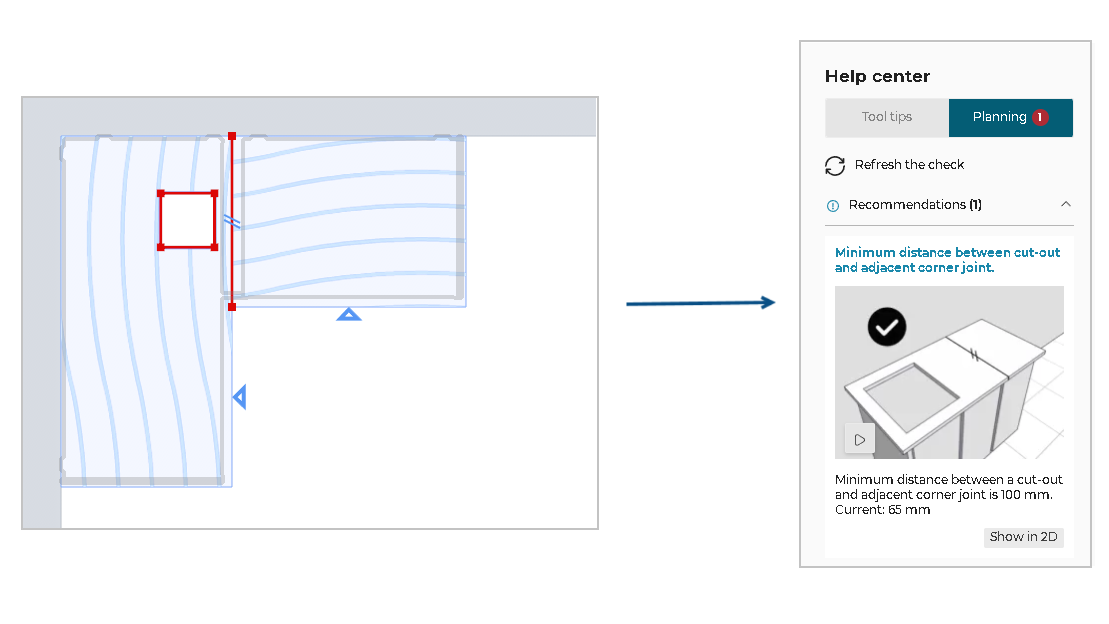
Once the user has moved the cut-out away from the corner joint to a distance of at least 100 mm (the overload value in this example) the design is error free.