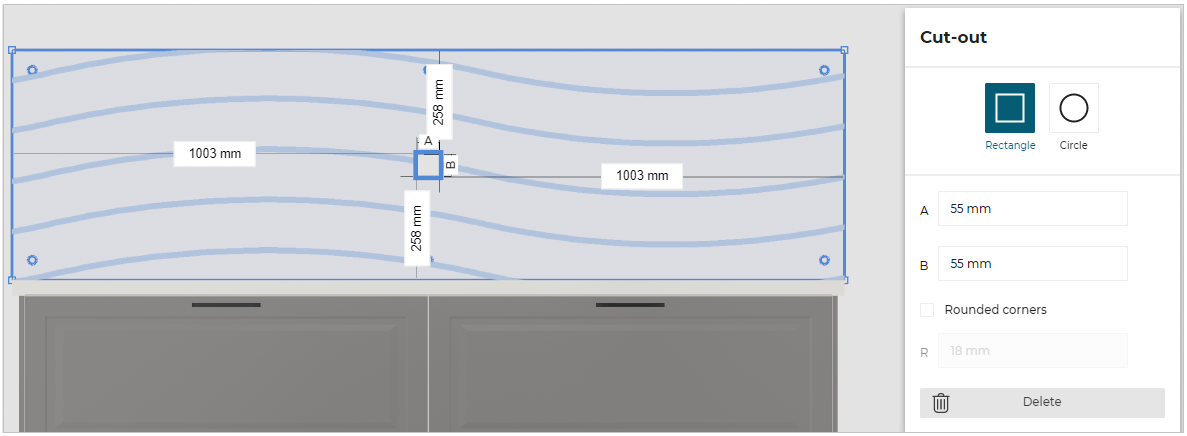
Dimension for a Rectangular Cut-Out of Wall Panel

WallPanelMinDimensionABRectCutOutRule
AB Dimensions of rectangular cut-out for a wall panel configuration.
Notification level: ⚠
| Key | Value |
|---|---|
| ID | WallPanelMinDimensionABRectCutOutRule |
| Translation key | wallpanel_minD_small_circ_cut_out_title wallpanel_minD_small_circ_cut_out_error_message |
Behavior
This rule checks the dimensions of a rectangular cut-out for a wall panel configuration in order to prevent the user from planning an invalid kitchen.
This rule is only checked for wall panel with the type "glass".
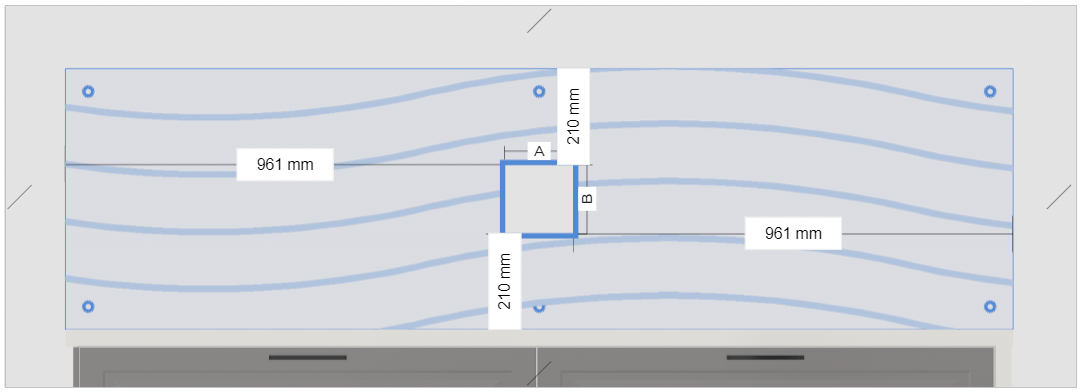
The dimensions A and B for a rectangular cut-out are represented as follows:
Trigger Conditions
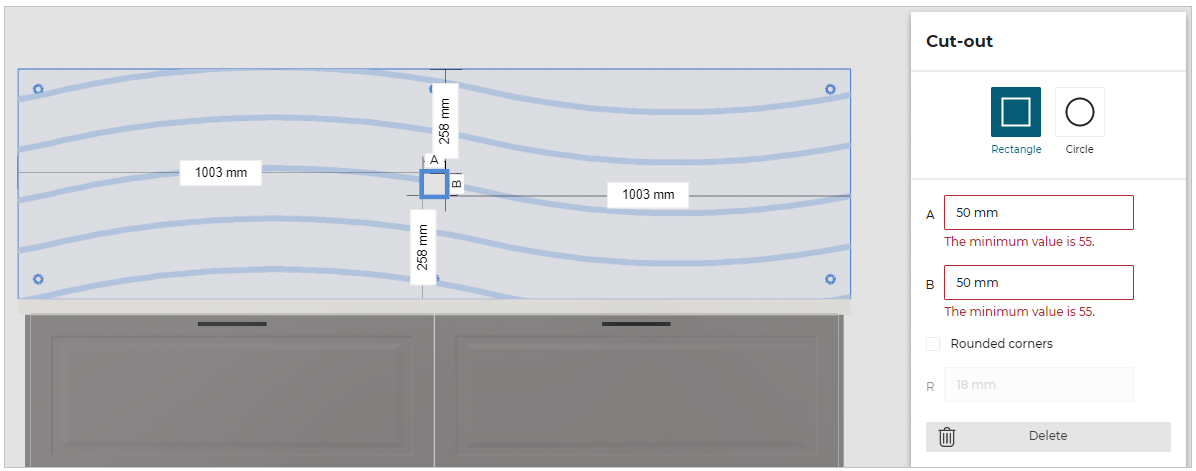
It is triggered if the dimension for a rectangular cut-out is less than the chosen dimension parameter for the wall panel configuration. The application starts warning to modify these dimensions in order to suit the minimum values.
Overload Parameters
| Key name | Type | Default value | Description |
|---|---|---|---|
minDimRectCutoutForGlassWallPanels | number | 55 | This parameter defines the necessary minimum dimension for a rectangular cut-out. Mandatory. |
Sample
{
   "minDimRectCutoutForGlassWallPanels":55
}
Illustration
In this example, the dimension of rectangular cut-out is less than the chosen dimension parameter for a wall panel with type glass, the business rule is triggered and warns the user with minimum values for A and B, as shown below.
Once the user has changed the dimensions for the values greater than or equal to 55 mm (the overload value in this example) the design is error free.