Various Product Styles

ProductIntruderRule
Various product styles
Notification level: ℹ
| Key | Value |
|---|---|
| ID | ProductIntruderRule |
| Translation key | Not applicable |
Behavior
This rule checks if the calculated tolerance percentage of products of different styles in the kitchen is below overload tolerance percentage on the basis of same parameter.
Trigger Conditions
It is triggered if a product style(parameter) of a cabinet is different from other cabinets and calculated tolerance percentage of products, of different styles, is below overload tolerance percentage; the application recommends to check products in item list.
Affected Products
Products that can have similar style parameters in the kitchen design.
Overload Parameters
| Key name | Type | Default value | Description |
|---|---|---|---|
parameters | array | [] | Specifies the parameter names used to check for triggering the rule like handle in the following example and parameter names must be of type PRODUCT. Mandatory. |
tolerancePercentage | integer | 25 | Specifies the percentage below which rule should be triggered like 25, in following example. Optional. |
tolerancePercentage will be calculated on the basis of inserted cabinets and their product styles.
If any of the product styles in parameters do not match with other products styles, tolerancePercentage will be calculated.
If the calculated tolerance percentage is less than overload tolerance percentage, rule will get triggered.
Calculated tolerance = (Number of different style of products)/ Total number of products) *100
Sample
{
    "parameters": ["drawerFront", "handle"],
    "tolerancePercentage":25
}
Illustration
The product styles of the inserted cabinets are different from each other and the calculated tolerance percentage is below overload tolerance Percentage, the business rule is triggered and informs the user to check such products in item list.
The Help center displays a Recommendation icon and guides the user to make the expected changes.

In this case, the user has matched the product styles of all the inserted cabinets.
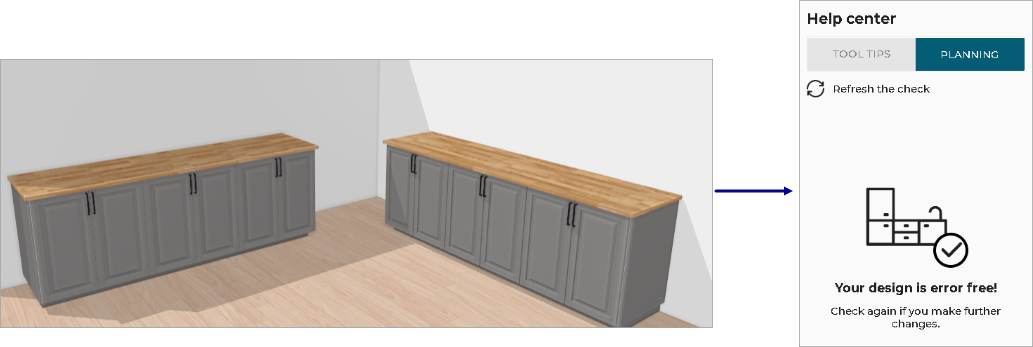
After clicking Refresh the check on the Help center, the user is informed that the design is now error free.