Distance Between Wall Unit and Obstacle

MinDistBTWallUnitToObstacleCeiling
Distance between top of vertical opening door and any obstacle.
Notification level: ⚠
| Key | Value |
|---|---|
| ID | MinDistBTWallUnitToObstacleCeiling |
| Translation key (obstacle) | min_dis_obstacle_to_WallCabinet_title min_dis_obstacle_to_WallCabinet _message |
| Translation key (wall) | min_dis_wall_to_WallCabinet_title min_dis_wall_to_WallCabinet_message |
Behavior
This rule checks the distance between the maximum position of the vertical-opening door of a wall cabinet and any possible obstacle (e.g. the ceiling) to prevent the user from creating an invalid kitchen. The application recommends to move down the wall cabinet.
Trigger Conditions
It is triggered if the distance between the span of the vertical door and the obstacle is less than the minimum distance.
Affected Products
The rule affects:
- Any wall cabinet having the closed tag
WallCabinetsand the parameterdoorOpeningTypewith the valuehorizontal. - Room objects.
This information is mandatory in order to have a check on this kind of products.
Overload Parameter
| Key name | Type | Default value | Description |
|---|---|---|---|
minDistance | number | 118 | This parameter defines the minimal distance in millimeters between the top of a vertical door of a wall cabinet and any obstacle. Optional. |
distance | number | 118 | (Deprecated, use minDistance) This parameter defines the minimal distance in millimeters between the top of a vertical door of a wall cabinet and any obstacle. |
For example:
{
   "minDistance":118
}
Illustration
Case 1 – Wall cabinet and ceiling
The top of a vertical door on a wall cabinet is close to the ceiling, the rule is triggered and informs the user to move the wall cabinet down. An animation is displayed to guide the user through the changes.
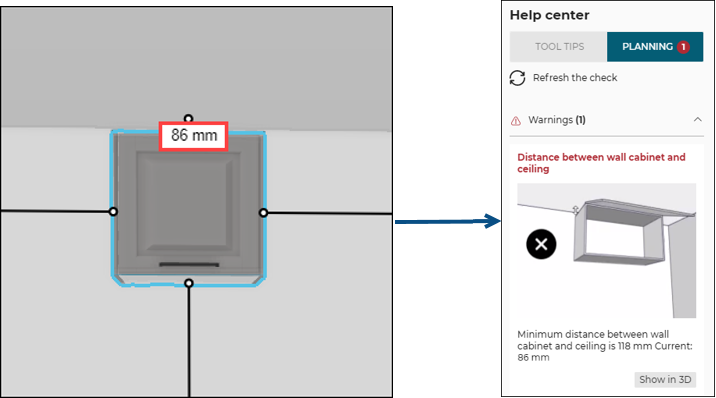
Once the user has moved the top of the wall cabinet away from the wall to a distance greater than or equal to 118 mm (the overload value in this example).
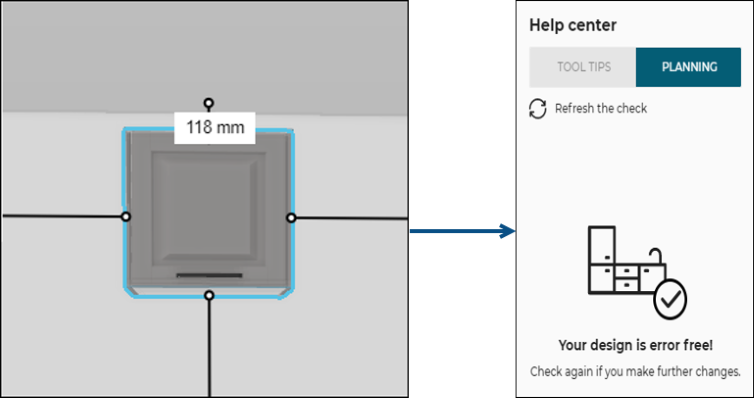
After cliking Refresh the check on the Help center, the design is now error free.
Case 2 – Wall cabinet and obstacle
The top of a vertical door on a wall cabinet is close to the obstacle, the rule is triggered and informs the user to move the wall cabinet down. An animation is displayed to guide the user through the changes.
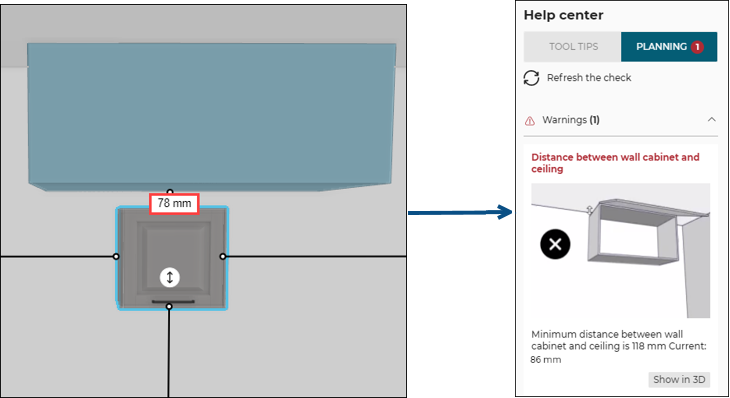
Once the user has moved the top of the wall cabinet away from the obstacle to a distance greater than or equal to 118 mm (the overload value in this example).
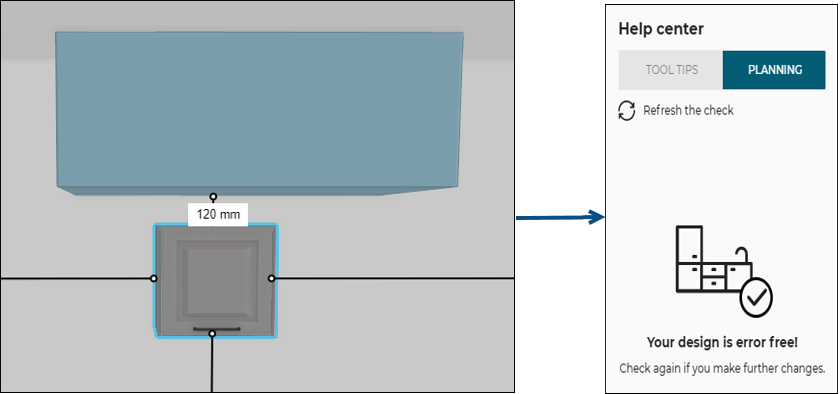
After cliking Refresh the check on the Help center, the design is now error free.