Collision with Openings

OpeningCollisionRule
Collision with Openings.
Notification level: ℹ
| Key | Value |
|---|---|
| ID | OpeningCollisionRule |
| Translation key | opening_collision_rule_title opening_collision_rule_error_message |
Behavior
This rule checks the collision between the opening(door/window) and cabinet (base, wall, high, corner, fillers or half height) or an appliance.
Trigger Conditions
It is triggered if there is a collision between the opening(door/window) and cabinet (base, wall, high, corner, fillers or half height) or an appliance or if the distance between them is less than the distance parameter. The application recommends to modify the position of the cabinet or appliance in order to avoid user from creating a dangerous kitchen.
Affected Products
- High Cabinet with the closed tag
HighCabinets. - Base Cabinet with the closed tag
BaseCabinets. - Wall Cabinet with the closed tag
WallCabinets. - Corner Cabinet with the closed tag
CornerCabinets. - Bathroom base cabinet with the closed tag
BathroomBaseCabinets. - Half height cabinet with the closed tag
HalfHeightCabinets. - Filler Strip angle with the closed tag
FillerStripAngle. - Filler Strips with the closed tag
FillerStrips. - Free Standing filler strips with the closed tag
FreeStandingFillerStrips. - The cooktop product must have a closed tag
Cooktops. - The washer product must have a closed tag
Washers. - The dishwasher product must have a closed tag
Dishwashers. - The fridge product must have a closed tag
Refrigerators. - The oven product must have a closed tag
Ovens. - The oven cabinet must have a closed tag
OvenCabinets. - The sink product must have a closed tag
Sinks. - The under sink cabinet must have a closed tag
UnderSinkCabinets. - The single sink must have a closed tag
SingleSinks. - The double sink must have a closed tag
DoubleSinks. - The faucet must have a closed tag
Faucets. - The dryer product must have a closed tag
Dryers. - The cellar product must have a closed tag
WineCellars.
This rule considers as a "opening" any product with one of these closed tags:
- A single windows with the closed tag
SimpleWindows. - A double windows with the closed tag
DoubleWindows. - A simple sliding window with the closed tag
SimpleSlidingWindows. - A double sliding window with the closed tag
DoubleSlidingWindows. - A basement window with the closed tag
BasementWindows. - A fixed window with the closed tag
FixedWindows. - A double door with the closed tag
DoubleDoors. - A glass door with the closed tag
GlassDoors. - A shower door with the closed tag
ShowerDoors. - A security door with the closed tag
SecurityDoors. - A patio door with the closed tag
PatioDoors. - A screen door with the closed tag
ScreenDoors. - A doule interiro door with the closed tag
DoubleInteriorDoor. - An interior door with the closed tag
InteriorDoor. - A garage door with the closed tag
GarageDoors. - A service door with the closed tag
ServiceDoors. - A folding door with the closed tag
FoldingDoors. - A sliding door with the closed tag
SlidingDoor. - A swinging patio door with the closed tag
SwingingPatioDoors. - A sliding patio door with the closed tag
SlidingPatioDoors. - A double glass door with the closed tag
DoubleGlassDoors. - A door with the closed tag
Doors. - A front door with the closed tag
FrontDoors. - A simple interior door with the closed tag
SimpleInteriorDoors.
Overload Parameter
| Key name | Type | Default value | Description |
|---|---|---|---|
minDistance | number | 1200 | This parameter defines the necessary limit distance between the opening(door/window) and cabinet or appliance placed in front of the opening. Optional. |
Sample
{
	"minDistance":1200
}
Illustration
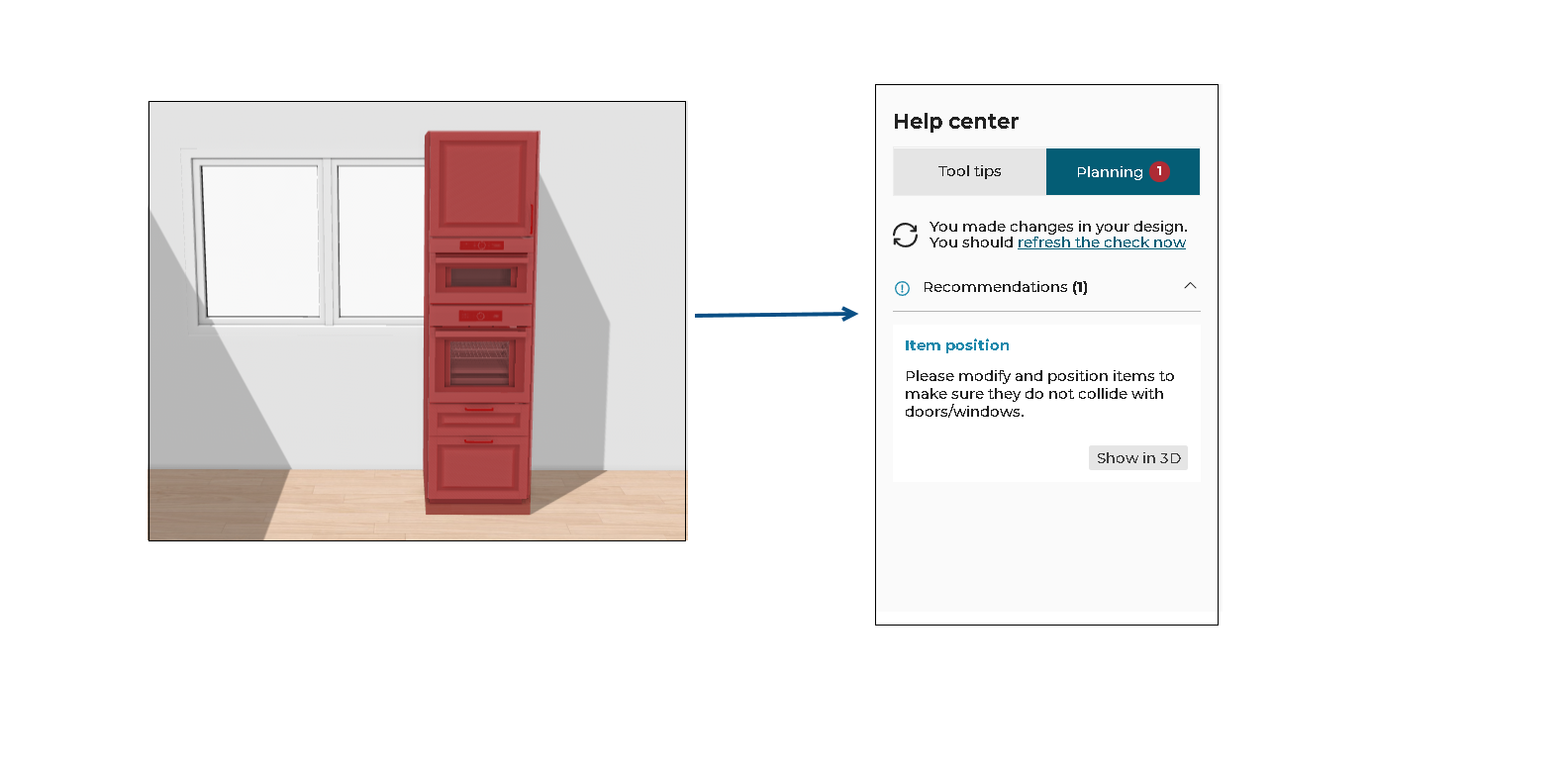
A cabinet or appliance is placed too close in front of the door/window and hinders the opening. The rule is triggered and informs the user to change the position of the cabinet or appliance.
Once the user has moved the cabinet/appliance away from the opening.

After clicking Refresh the check on the Help center, the design is now error free.