Dimension for a Circular Cut-Out of Wall Panel

WallPanelMinDimensionDCircCutOutRule
Dimension of circular cut-outs for a wall panel configuration.
Notification level: ⚠
| Key | Value |
|---|---|
| ID | WallPanelMinDimensionDCircCutOutRule |
| Translation key | Small circular cut-out wallpanel_minD_small_circ_cut_out_title wallpanel_minD_small_circ_cut_out_error_message |
| Translation key | Other types of circular cut-out wallpanel_minD_circ_cut_out_excluding_glass_wallpanel_title wallpanel_minD_circ_cut_out_excluding_glass_wallpanel_error_message |
Behavior
This rule checks the dimension of a small, normal and large circular cut-out for a wall panel configuration in order to prevent the user from creating an invalid kitchen.
It includes the verification for wall panel with the type "glass", only for small circular cut-out.
Trigger Conditions
It is triggered if the dimension for a circular cut-out is less than the chosen dimension parameter for the wall panel configuration. The application starts warning to modify these dimensions in order to suit the minimum values.
Overload Parameters
| Key name | Type | Default value | Description |
|---|---|---|---|
minDimensionValue | number | 65 | This parameter defines the necessary minimum diameter for a circular cut-out. Mandatory. |
minDCircCutOutExcludingGlassWallPanel | number | 35 | This parameter defines the necessary minimum diameter for a circular cut-out excluding wall panel glass. Mandatory. |
minDSmallCircCutOutInGlassWallPanel | number | 21 | This parameter defines the necessary minimum diameter for a circular cut-out for wall panel glass. Mandatory. |
Sample
{
   "minDimensionValue":65,
   "minDCircCutOutExcludingGlassWallPanel":35,
   "minDSmallCircCutOutInGlassWallPanel":21
}
Illustration
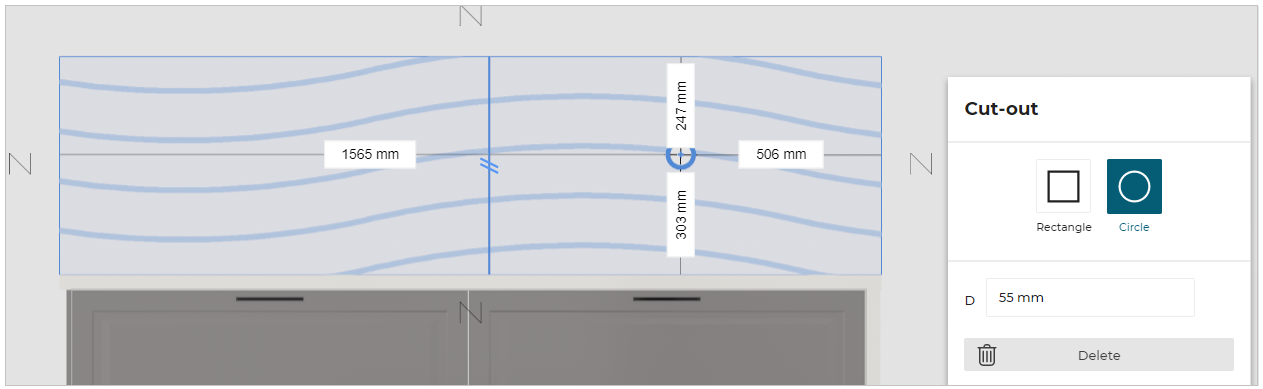
Case 1 – With glass wall panel
The dimension of circular cut-out is less than the chosen dimension parameter for a wall panel with type "glass", the rule is triggered and warns the user to change the dimensions of this circular cut-out.
An animation is displayed to guide the user through the changes.
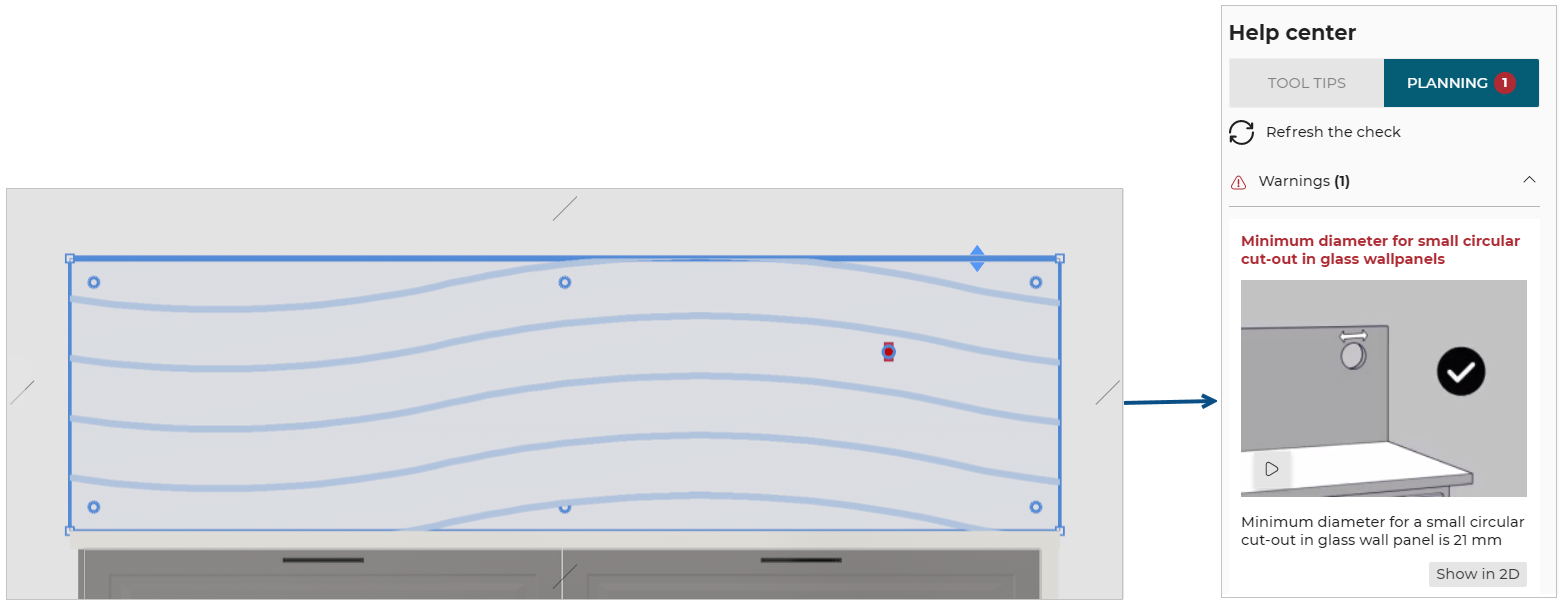
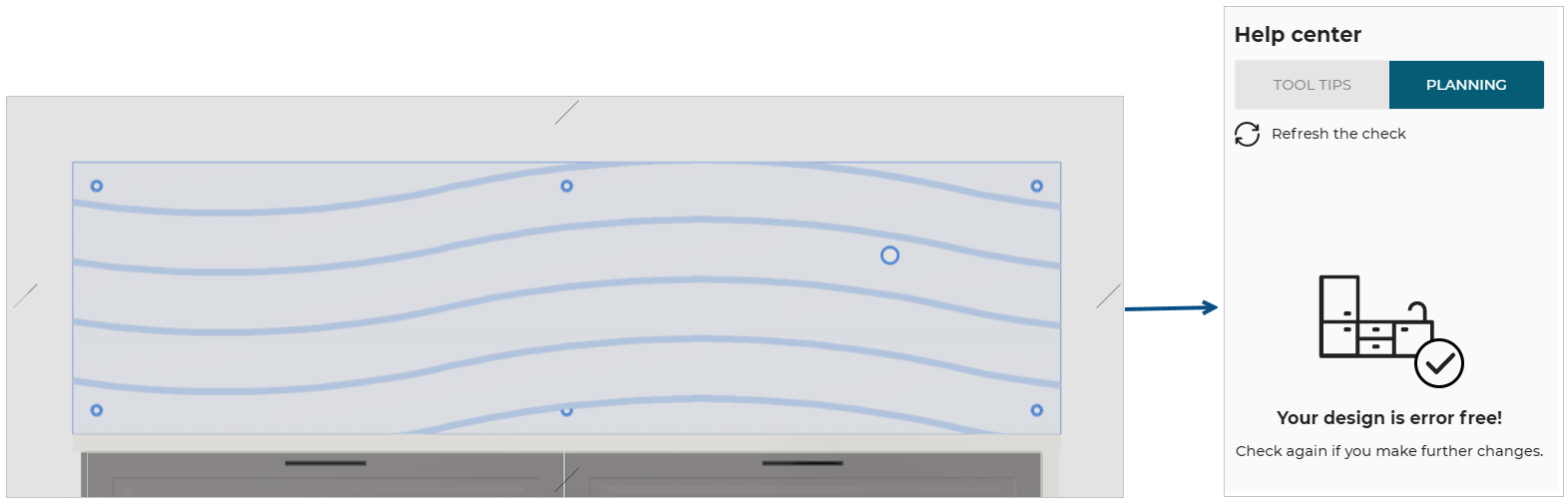
Once the user has changed the dimensions for a value greater than or equal to 21 mm (the overload value in this example) the design is error free.
Case 2 – Without glass wall panel
The dimension of circular cut-out is less than the chosen dimension parameter for a wall panel (excluding type "glass"), the rule is triggered and warns the user to change the dimensions of this circular cut-out. An animation is displayed to guide the user through the changes.
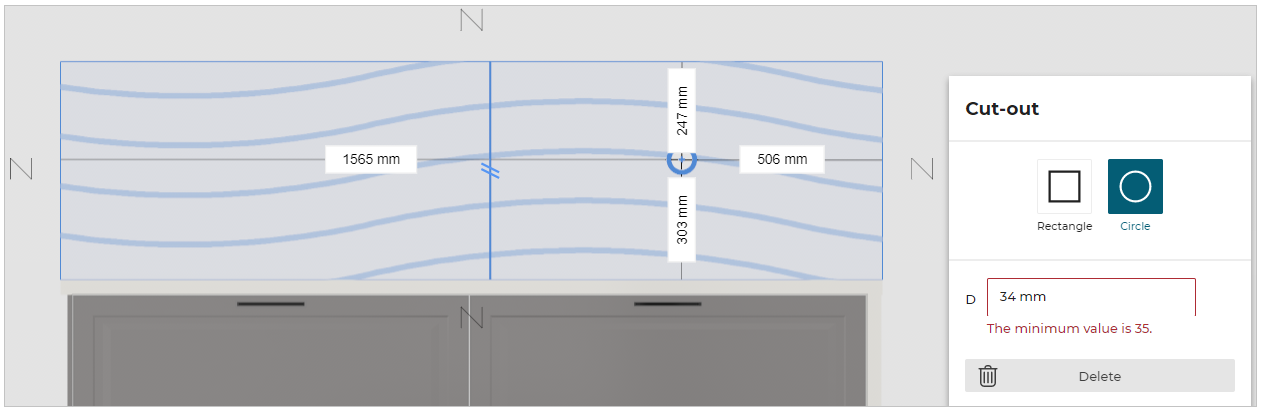
Once the user has changed the dimensions for a value greater than or equal to 35 mm (the overload value in this example) the design is error free.