Worktop Position Outside Room Rule

WorktopPositionOutsideRoomRule
The position of the worktop outside the project.
Notification level: ℹ
| Key | Value |
|---|---|
| ID | WorktopPositionOutsideRoomRule |
| Translation key | worktop_position_outside_room_rule_title worktop_position_outside_room_rule_error_message |
Behavior
This rule checks if a worktop board is partially inside a wall or is extended through a wall,outside the project.
Trigger Conditions
It is triggered if a worktop board is placed partially outside. The application recommends to modify the position of the worktop board to prevent the user from creating an invalid kitchen.
Illustration
Case 1 – Worktop is outside the project
If the worktop board is extended through a wall and is outside the project, the rule is triggered and recommends the user to change the position of the worktop board to ensure that it is within the room.
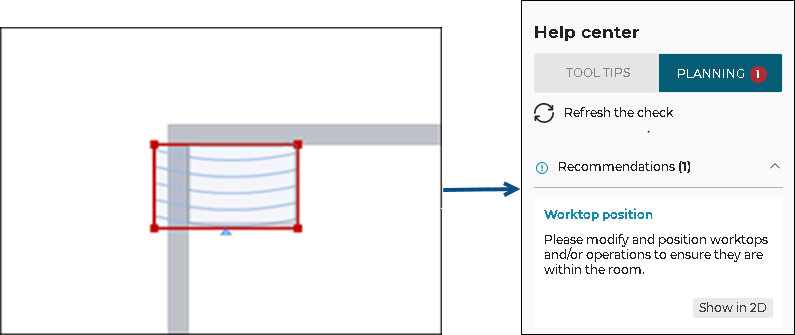
Once the worktop board is within the room, the design becomes error free.
Case 2 – Worktop board inside a wall
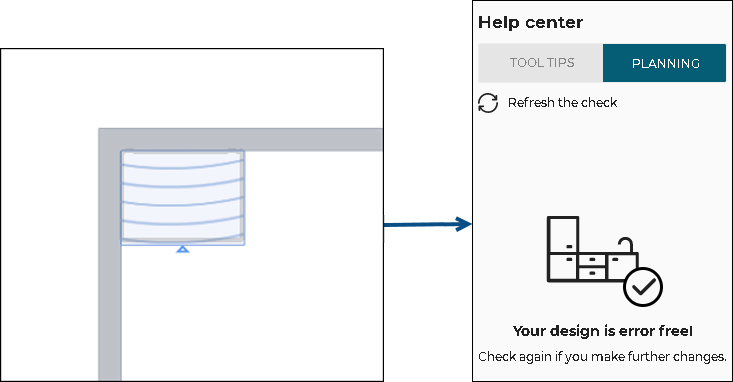
If the worktop board is inside a wall, the rule is triggered and recommends the user to change the position of the worktop board to ensure that it is along the wall.

Once the worktop board is along the wall, the design becomes error free.

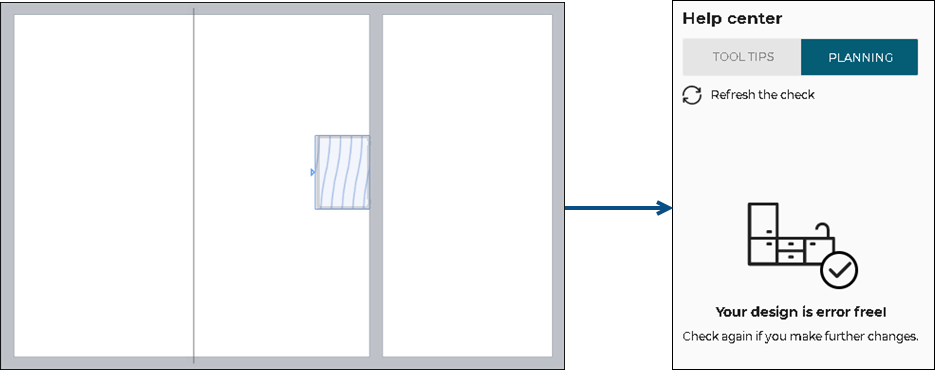
Case 3 – Worktop over a room separator
If the worktop board is over a room separator, the rule is not triggered and no notification is displayed in the Help Center. This design is allowed, since room separator is not a physical wall.

Case 4 – Worktop inside an inner wall
If the worktop board is inside the inner wall, the rule is triggered and recommends to change the position of the worktop board to ensure that it is within the room.
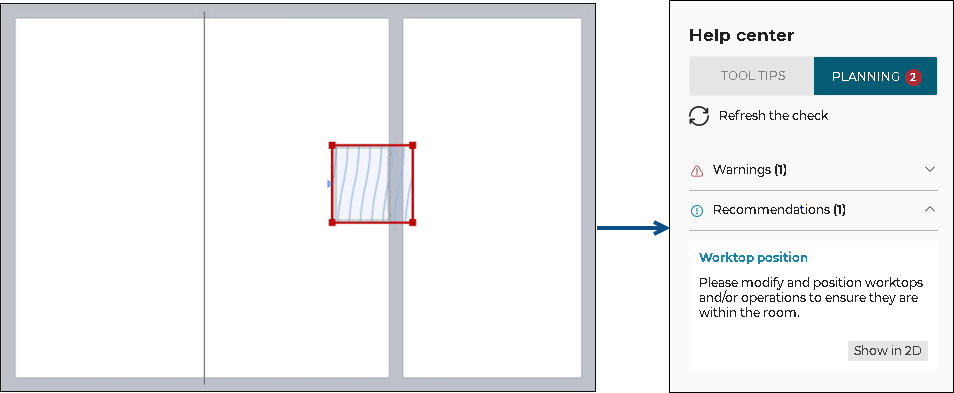
Once the worktop board is inside the room, the design becomes error free.